
 ES · Hola
 BN · স্বাগতম
 FR · Bonjour
 DE · Hallo
Looking for a Weglot alternative? Try WTranslator for WordPress.
Build a multilingual WordPress website with AI translation, editable language content, WooCommerce support and multilingual SEO workflows designed around the publishing stack you already use.
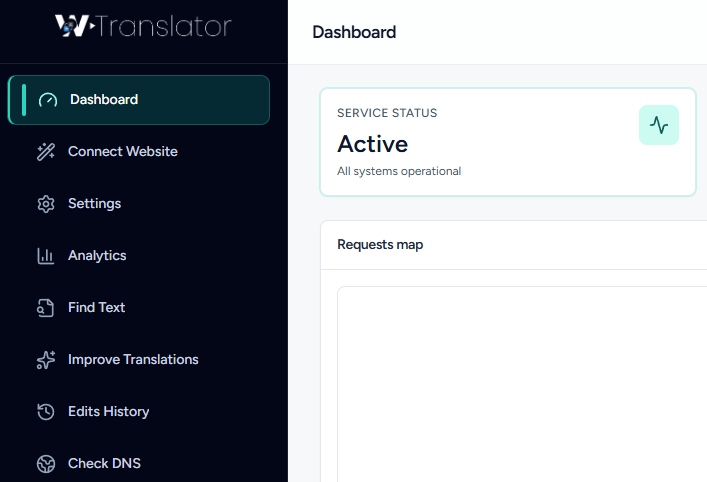
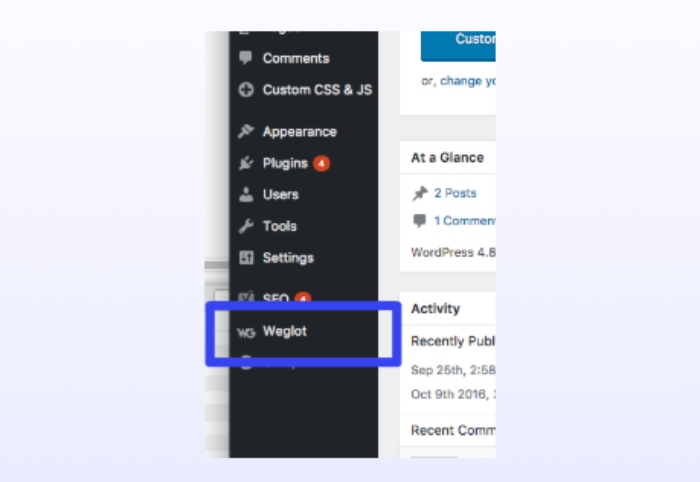
Why WordPress teams consider WTranslator as a Weglot alternative.
Both platforms can support multilingual websites. WTranslator is built specifically around WordPress publishing, making it a focused option for teams that want translation, editing and SEO delivery to stay close to their existing CMS workflow.
Platform Focus
Weglot is designed as a multi-platform website translation solution that works across WordPress and other website technologies.
Built Around WordPress
WTranslator keeps WordPress at the center of multilingual publishing, including content, WooCommerce and common page-builder workflows.
Translation Workflow
Weglot combines automatic translation with a hosted translation-management workflow and editing tools.
AI Translation + Editing
WTranslator starts with fast automatic translation and adds translation editing on supported paid plans for brand, product and campaign content.
Multilingual SEO
Weglot supports search-friendly language URLs, hreflang and multilingual metadata as part of its hosted translation platform.
SEO-Ready Paid Delivery
WTranslator’s paid TDN workflow is designed for indexable language pages, language-specific URLs and search-focused multilingual publishing.
Broad Website Support
Weglot can be a practical choice for organizations that want one multilingual platform across different CMSs and website technologies.
WordPress Publishing Stack
WTranslator is designed for teams already working with WordPress, WooCommerce, Elementor, Gutenberg, WPBakery and Divi.
Everything you need for a multilingual WordPress workflow.
Start with easy multilingual access, then add stronger AI, editing and search-ready delivery as your international publishing needs grow.
100+ Languages
Make your WordPress content accessible across more than 100 supported languages, including both left-to-right and right-to-left language workflows.
- Global language coverage
- Language switcher experience
Neural AI Translation
Paid workflows can use neural AI translation to create the first multilingual version quickly while preserving your original WordPress content structure.
- Faster first translation
- Built for scalable publishing
Translation Editing
Refine important product, marketing and brand wording after the initial translation instead of accepting every generated phrase unchanged.
- Improve key copy
- Keep important terms consistent
Multilingual SEO
Paid TDN workflows support indexable language pages, language URLs and a search-friendly multilingual structure for international growth.
- Search-ready language pages
- Language-specific URLs
WooCommerce Workflow
Keep product and storefront translation connected to the WordPress store you already manage instead of rebuilding the commerce workflow elsewhere.
- Product content translation
- One WordPress store workflow
Translation Delivery Network
Paid plans use WTranslator’s Translation Delivery Network to serve multilingual pages while your original WordPress site remains the publishing source.
- Cloud multilingual delivery
- Built for growing sites
WTranslator vs Weglot at a glance.
Compare the two products by workflow and platform focus instead of treating every capability as a simple yes-or-no feature.
| Area | WTranslator | Weglot |
|---|---|---|
| Platform focus | WordPress-first multilingual publishing | Multi-platform website translation |
| Automatic translation | Machine translation on Free; neural AI on paid plans | AI-powered automatic translation |
| Translation editing | Available on supported paid plans | Translation management and visual editing |
| Multilingual SEO | Paid TDN supports indexable language-page delivery | SEO-friendly URLs, hreflang and translated metadata |
| WooCommerce | Built around WordPress and WooCommerce workflows | WooCommerce support as part of broader platform coverage |
| Page builders | Elementor, Gutenberg, WPBakery and Divi workflows | Works with translated WordPress site content |
| Best fit | Teams keeping WordPress at the center of multilingual publishing | Teams managing multilingual websites across multiple platforms |
Start translating your WordPress site in four clear steps.
WTranslator is designed to keep the multilingual workflow familiar for WordPress publishers, marketers and store owners.
Install WTranslator
Add the plugin to WordPress and connect the site to your WTranslator workflow.
Choose Languages
Select the languages you want visitors to use across your multilingual experience.
Translate Content
Generate the first translated version automatically, then review important wording where needed.
Publish & Grow
Upgrade to paid multilingual delivery when your strategy needs search-ready language pages and advanced control.
Built for WordPress teams that want a simpler multilingual workflow.
From publishing teams to online stores, WTranslator is designed to keep translation close to the tools people already use.
“Keeping translation, language pages and editing connected to the WordPress workflow makes it much easier for our content team to manage international publishing.”
“The WordPress-first setup gives our store team a clearer path to translate product content without turning multilingual publishing into a separate system.”
Questions before choosing a Weglot alternative?
Compare platform fit, WordPress workflow and multilingual SEO needs before deciding which translation product is right for your site.
Yes. WTranslator is built specifically for WordPress multilingual publishing and supports automatic translation, 100+ languages and paid workflows for translation editing, multilingual SEO and cloud-based translated delivery.
Yes. Weglot supports automatic translation, translation management and multilingual SEO capabilities. The main distinction on this page is platform focus: WTranslator is designed around WordPress, while Weglot supports many website platforms.
Yes. You can start with the free WTranslator plugin and upgrade when you need paid AI translation, translation editing, multilingual SEO delivery or other advanced capabilities.
Paid WTranslator TDN plans are designed for language-specific page delivery and multilingual search indexing workflows. Higher plans can add more advanced translation and URL-control capabilities.
WTranslator is designed around WordPress publishing workflows and supports WooCommerce together with common page builders such as Elementor, Gutenberg, WPBakery and Divi.
WTranslator is especially relevant when WordPress is the center of your publishing operation. Weglot may be a better fit if you need one multilingual platform across several different website technologies.
Keep WordPress. Build your multilingual workflow around it.
Install WTranslator for free, test your language experience and upgrade when multilingual SEO, advanced AI translation and editing become part of your growth strategy.