
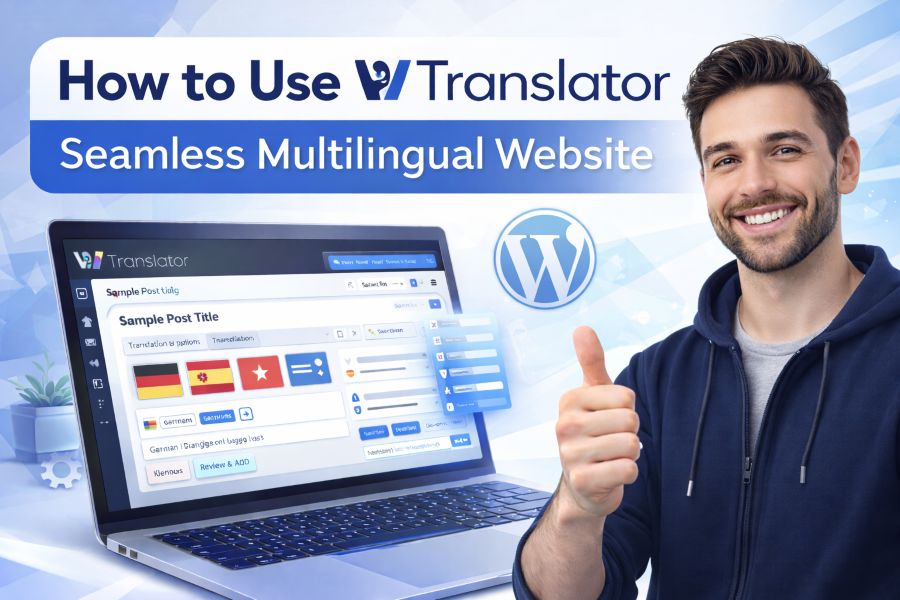
Creating a multilingual WordPress site is essential if you want to reach a global audience. By integrating a translation plugin like WTranslator, you can effortlessly translate your website’s content into different languages.
In this article, we will guide you through the process of setting up and using WTranslator to create a seamless multilingual experience for your visitors.
Getting Started with WTranslator
WTranslator is a powerful plugin that automatically translates your WordPress site’s content. The first step is to install and activate the plugin. Once installed, you’ll be able to manage the translation of your pages, posts, and even custom post types. To start, simply choose your default language and the languages you want to add. It’s a simple process that can save a lot of time compared to manually translating content.
After installation, configure the settings to fit your website’s needs. You can select translation options based on your target audience’s preferences. Whether you’re targeting a particular region or offering a global experience, WTranslator provides the flexibility you need to build a truly multilingual site. Make sure to check the integration with translation engines like Google Translate to ensure optimal performance.
How to Translate Your WordPress Site Automatically
Once the WTranslator plugin is activated, you can start translating your WordPress site automatically. This feature is particularly useful if you have a large website with a lot of content. By simply enabling automatic translation, you can quickly translate your pages and posts into multiple languages. WTranslator uses an intelligent system that automatically detects the content on your website and applies the appropriate translation.
You can also configure the translation settings to choose how much content should be translated and whether manual review is required. WTranslator ensures that all translated content maintains the same formatting and structure as your original pages. This helps provide a consistent user experience across all languages, making it easier for visitors to navigate your site regardless of the language they speak.
Managing and Customizing Your Translations
Once your website is set up for multilingual content, it’s important to manage and customize the translations effectively. With WTranslator, you have full control over each language version of your website. You can easily update translations and even remove unnecessary ones. This ensures that your site’s content remains fresh and relevant for your audience.
WTranslator also allows you to customize translations for specific pages, posts, or other elements like menus and widgets. This flexibility ensures that your content remains consistent and accurate in every language. You can assign custom translations for phrases or terms that don’t translate well automatically, making sure the language fits naturally.
For instance, if you have a specific terminology for your business, you can override the automatic translation to maintain consistency. This customization is crucial for ensuring that your brand voice remains the same across different languages. By managing translations properly, you can provide a professional experience for visitors no matter where they’re located.
Using Multiple Languages with WTranslator
A key feature of WTranslator is its ability to handle multiple languages on the same site. Whether you’re targeting specific regions or offering a truly global site, you can manage different languages without hassle. WTranslator enables you to add, edit, and display various language versions of your content directly within the WordPress dashboard.
The plugin also allows for seamless switching between languages on the front end of your website. Visitors can easily toggle between different languages using a language switcher, ensuring a smooth and accessible browsing experience. By offering multiple languages, you expand your reach to a wider audience, which can help boost traffic and engagement.
To learn more about expanding your website’s reach and optimizing its multilingual capabilities, you can take advantage of the multilingual WordPress site translator. It simplifies the entire translation process for you and helps ensure that your content is displayed correctly in all supported languages.
SEO Benefits of Using WTranslator
Optimizing your multilingual site for search engines is essential to improve visibility. WTranslator is designed with SEO in mind, allowing you to optimize each translated page for search engines. It automatically generates SEO-friendly URLs, meta tags, and descriptions in the selected languages, which helps improve your site’s search engine rankings.
Additionally, WTranslator ensures that each language version of your content is indexed separately. This prevents duplicate content issues and ensures that search engines can index each version properly. With the plugin’s integration with popular SEO plugins like Yoast, you can easily optimize each page for the targeted language, improving your site’s overall performance in search rankings.
By using WTranslator, you ensure that your website’s multilingual content is optimized not only for visitors but also for search engines, helping you expand your global presence.
Updating and Maintaining Your Translations
Maintaining your translations is an ongoing process. As you add new content to your website, you’ll need to ensure it is translated into the languages you’ve chosen. With WTranslator, this task becomes easy because the plugin will automatically update and translate new content as it’s added.
The plugin also offers options for manually reviewing and adjusting translations to ensure accuracy. You can choose to update existing translations whenever you make changes to the original content. This ensures that your multilingual site remains up-to-date, providing the best user experience to visitors from all regions.
By regularly updating and maintaining your translations, you can keep your website relevant and ensure that your visitors have access to the latest content in their preferred languages.
Troubleshooting Common Issues
Like any plugin, you might run into some issues while using WTranslator. Common problems include translation errors or conflicts with other plugins.
Fortunately, the plugin’s support team provides detailed documentation to help you troubleshoot and resolve issues.
By learning the multilingual WordPress site translator resources, you can gain additional insights into best practices and solutions to common problems.
Conclusion:
In conclusion, WTranslator is an excellent plugin for making your WordPress site multilingual. It’s easy to set up and manage, making it the perfect solution for businesses that want to expand their reach to a global audience. By integrating WTranslator into your site, you can provide content in multiple languages, improve user engagement, and boost SEO performance.
By following the steps outlined in this guide, you’ll be able to create a fully functional multilingual WordPress site. So, take the time to implement WTranslator, and you’ll soon see the benefits of reaching a wider audience with ease.
FAQs
How does WTranslator work to translate a WordPress site?
WTranslator automatically translates your WordPress site by integrating translation engines. Once installed, it detects and translates content into the languages you’ve selected, ensuring consistent formatting and structure throughout the website.
Can I manually review and edit translations with WTranslator?
Yes, WTranslator allows you to manually review and edit translations. After the automatic translation, you can customize terms, phrases, or content that may not translate perfectly, ensuring accuracy and clarity for your audience.
Is WTranslator compatible with all WordPress themes?
WTranslator is compatible with most WordPress themes, making it versatile for various websites. However, it’s always recommended to check the plugin’s documentation for theme-specific compatibility to avoid any potential issues.
How does WTranslator handle SEO for multilingual content?
WTranslator optimizes your multilingual content for search engines by automatically generating SEO-friendly URLs, meta descriptions, and tags in multiple languages. This helps prevent duplicate content and improves your site’s search engine rankings in different regions.
Can WTranslator translate custom post types or widgets?
Yes, WTranslator can translate custom post types, widgets, and even menus, giving you full control over all parts of your WordPress site. This ensures your entire site is fully multilingual.
Is it easy to switch between languages on a WordPress site?
WTranslator provides an easy-to-use language switcher that allows visitors to toggle between languages effortlessly. The switcher can be placed anywhere on your site for seamless navigation across different language versions.
Does WTranslator support automatic translation?
WTranslator supports automatic translation using built-in translation engines. You can set it to translate your content automatically, saving time while ensuring accurate translations for the majority of your site’s content.
How do I add new languages to my WordPress site with WTranslator?
Adding new languages with WTranslator is simple. From the plugin settings, select the languages you want to add, and the plugin will automatically handle the translation process, including pages, posts, and other elements.
What kind of support is available for WTranslator users?
WTranslator offers extensive documentation, tutorials, and customer support to assist with setup and troubleshooting. You can find resources on their website and contact their support team for any issues you may encounter.
Will using WTranslator slow down my WordPress site?
WTranslator is designed to be lightweight and optimized for performance. However, using multiple languages and automatic translation can slightly affect site speed, so it’s important to monitor and optimize your site regularly for the best performance.