
Download WTranslator WordPress Plugin
Start translating your WordPress website instantly with WTranslator. Install the plugin and create a multilingual site in minutes.
Install WTranslator in 3 Simple Steps
Get your multilingual WordPress site up and running in minutes.
Download the plugin
Click the download button above to get the WTranslator plugin zip file to your computer.
Upload to WordPress
Go to your WordPress admin dashboard, navigate to Plugins → Add New → Upload Plugin, and select the zip file you downloaded.
Activate and Configure
Activate WTranslator and follow the setup wizard to configure your languages and start translating your website.
Plugin Interface Preview
Take a look at WTranslator's intuitive interface and powerful features.
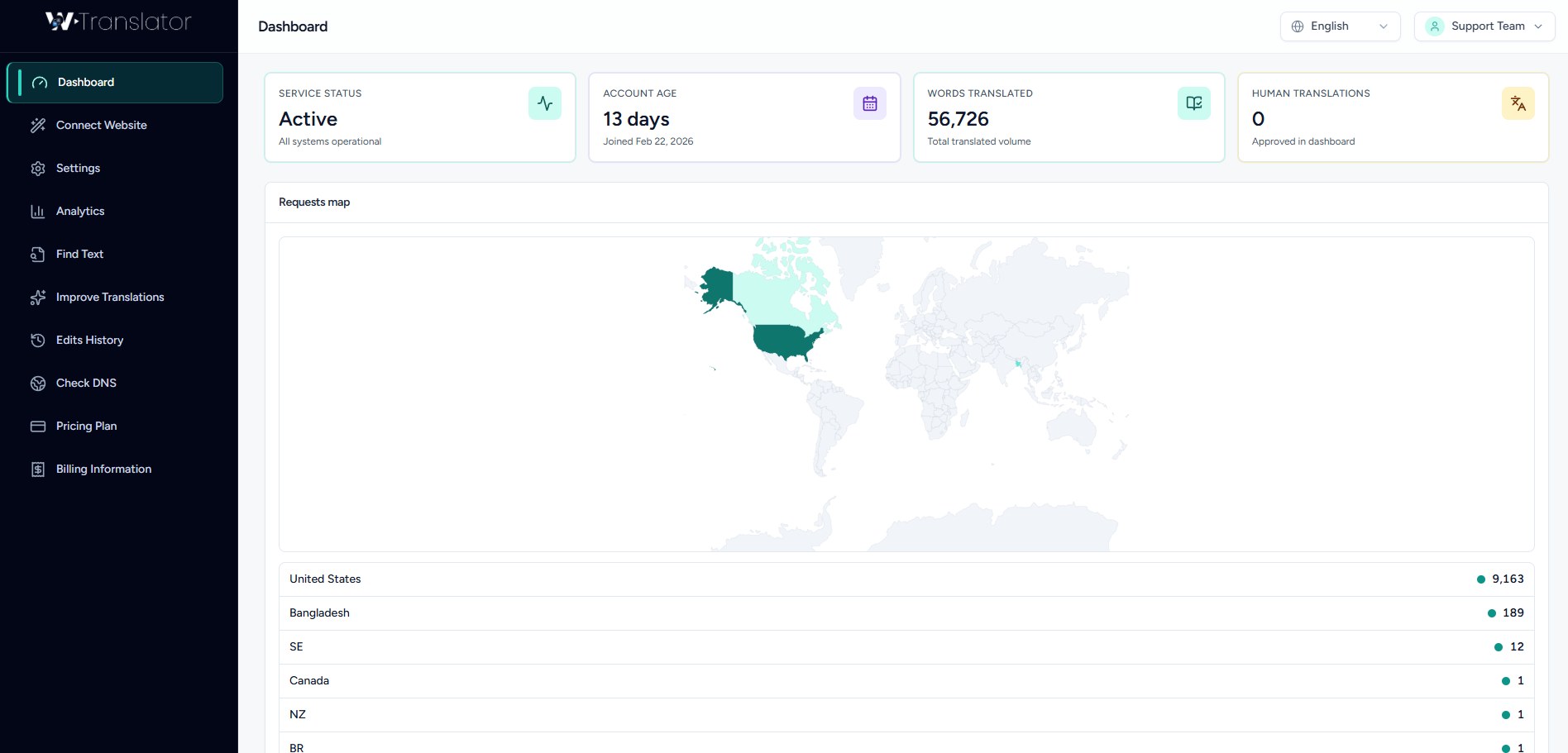
Dashboard Interface
Manage all your translations from one intuitive dashboard with real-time statistics and insights.
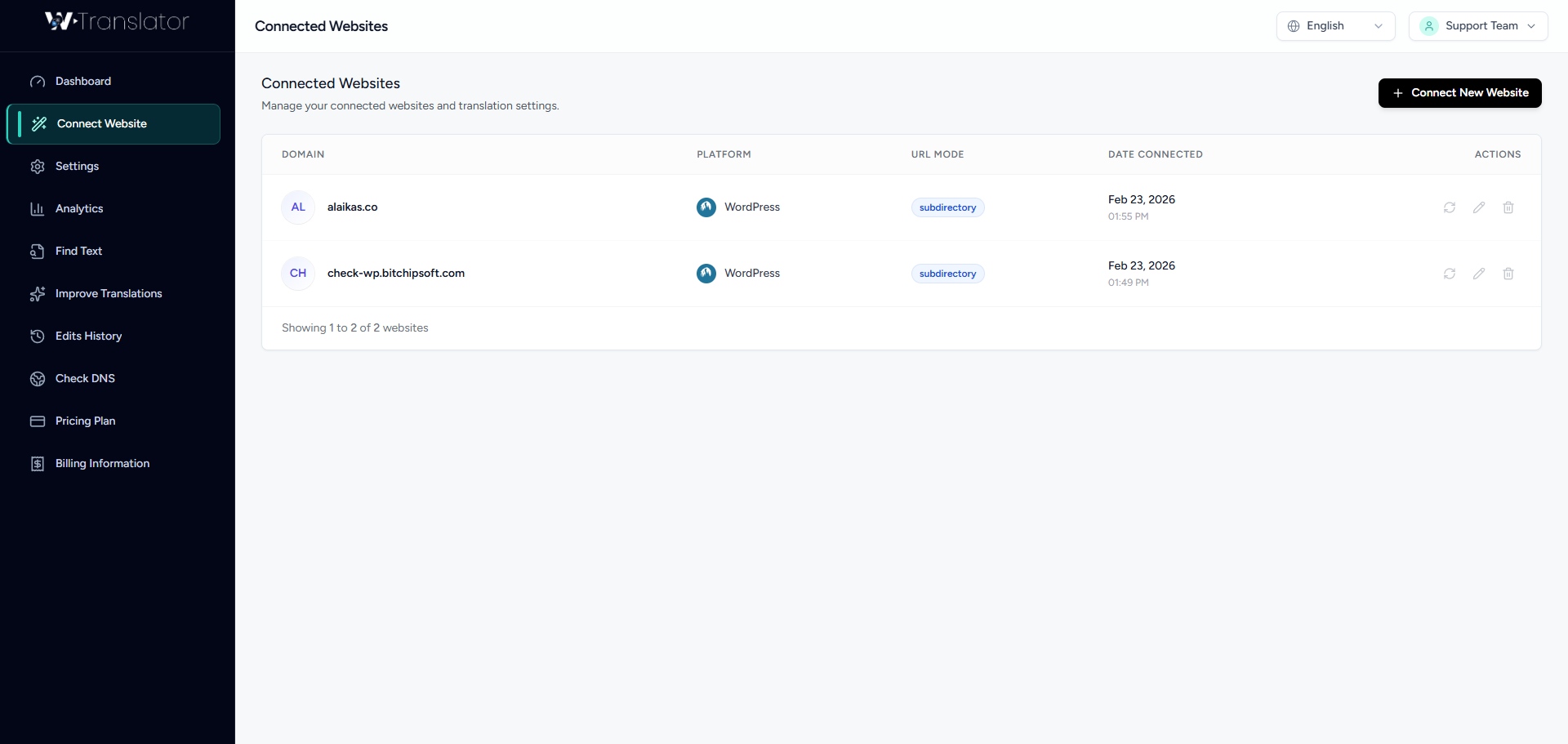
Connect Website
Easily connect and manage multiple WordPress websites from one dashboard and start translating instantly.
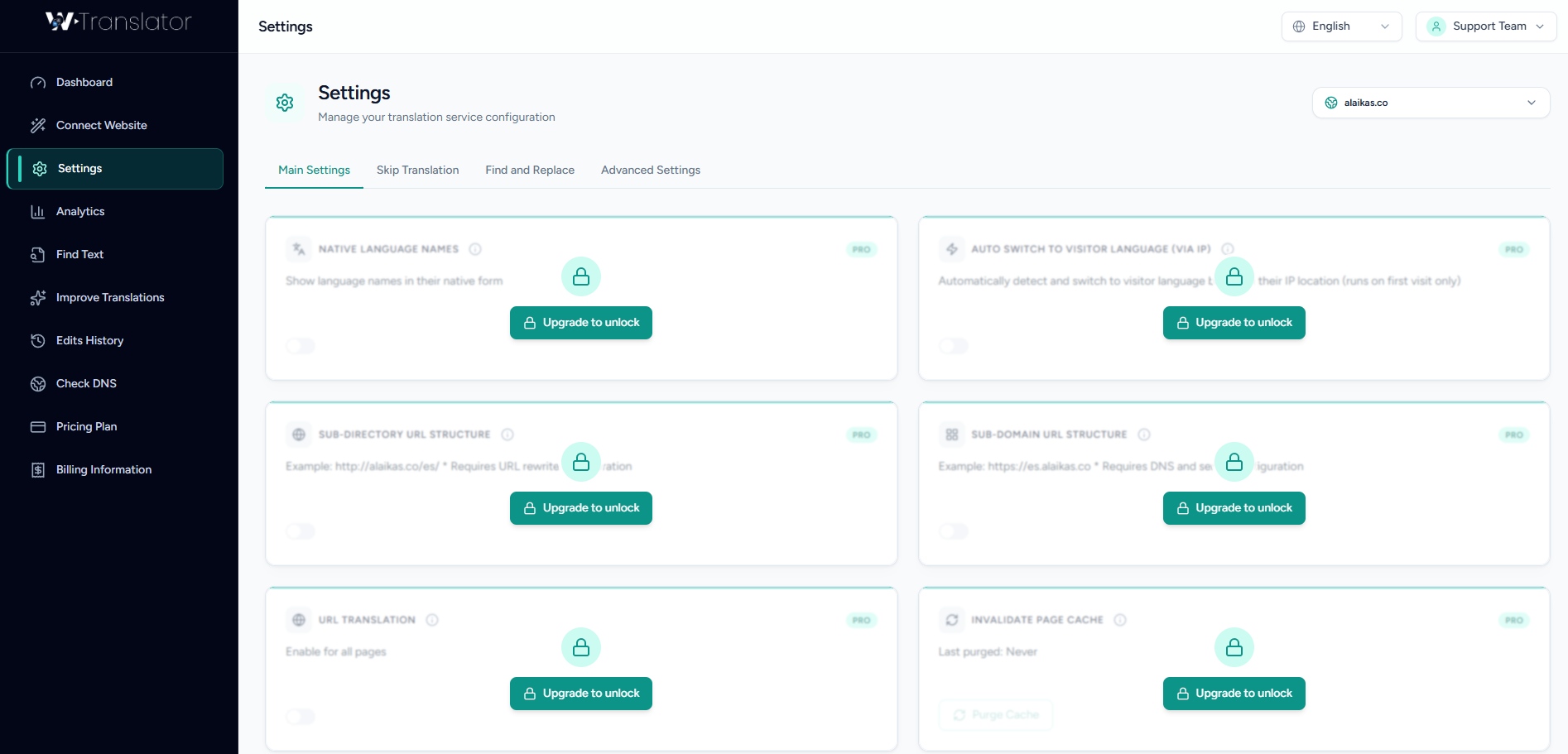
Plugin Settings
Customize language preferences, translation behavior, and plugin options to match your website needs.
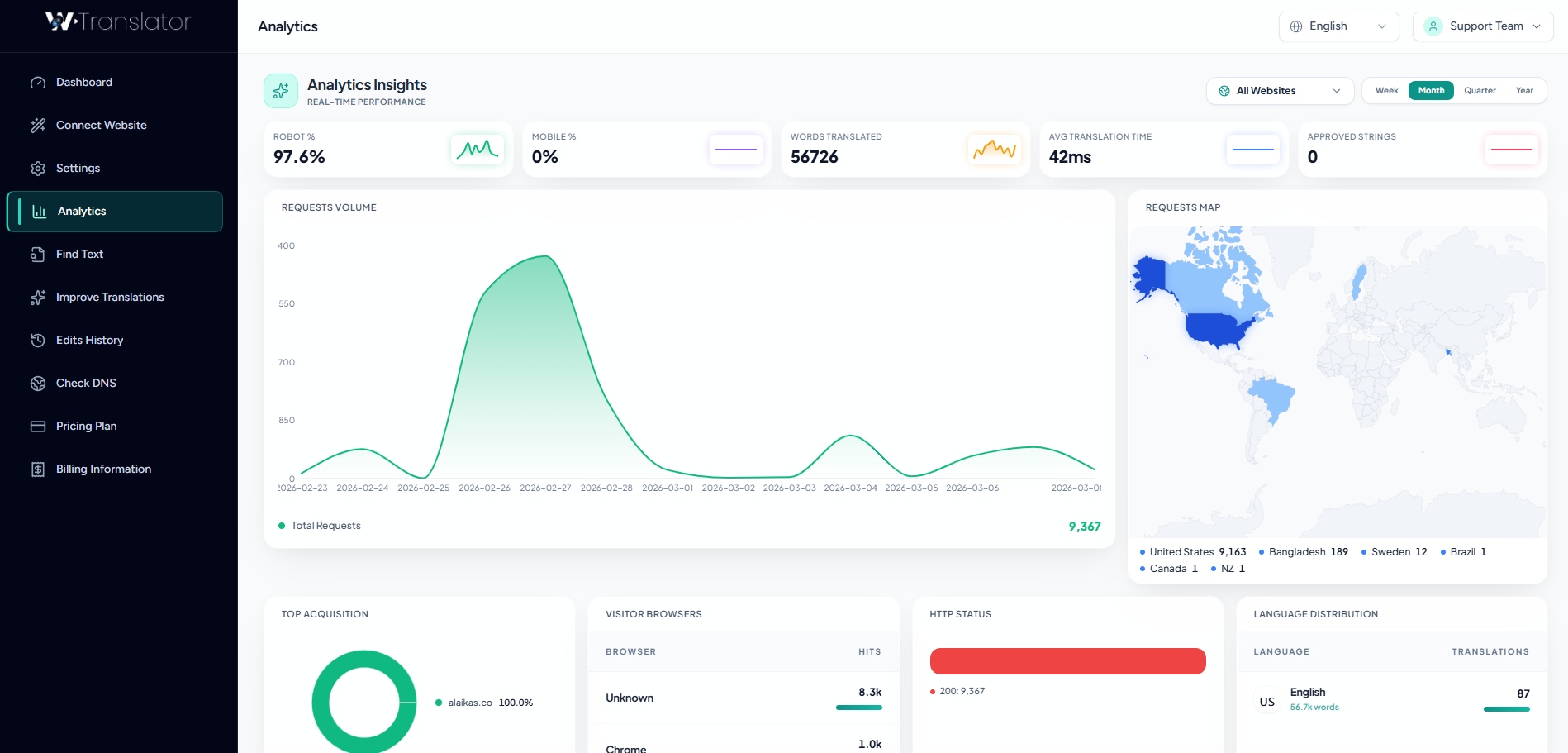
Translation Analytics
Track translation activity, monitor usage statistics, and analyze multilingual performance in real time.
Plugin Requirements
Make sure your WordPress site meets these requirements for optimal performance.
- WordPress 6.0 or higher
- PHP 7.4 or higher
- HTTPS enabled website
- Compatible with most WordPress themes
- 5MB+ available disk space
- Modern web browser (Chrome, Firefox, Safari, Edge)
Need Help?
Access full documentation and tutorials to get started quickly.
Documentation
Browse our comprehensive documentation for detailed guides and instructions.
View DocsVideo Tutorials
Watch step-by-step video tutorials to learn how to use WTranslator effectively.
Watch VideosFrequently Asked Questions
Find answers to common questions about WTranslator.
Yes, you can start with the free version of WTranslator which includes basic translation features. We also offer paid plans with advanced features like SEO indexing, neural AI translation, and language hosting. You can upgrade anytime based on your needs.
Yes, WTranslator fully supports WooCommerce multilingual stores. You can translate products, product categories, checkout pages, and customer emails. The integration is seamless and requires no additional configuration.
Yes, the AI engine automatically detects and translates content on your WordPress site. WTranslator can translate posts, pages, custom post types, products, and even dynamic content. You can also manually edit translations for accuracy.
WTranslator supports 103 languages including popular languages like Spanish, French, German, Chinese, Japanese, Arabic, and many more. Both left-to-right and right-to-left languages are fully supported.
No, WTranslator is optimized for performance. The plugin uses advanced caching techniques and efficient code to ensure minimal impact on your site's loading speed. In fact, paid plans use a Translation Delivery Network that can actually improve performance for international visitors.
WTranslator is compatible with 99% of WordPress themes. It works seamlessly with popular themes like Astra, Divi, Avada, and many others. If you encounter any compatibility issues, our support team will help you resolve them.
Start Translating Your WordPress Website Today
Join thousands of WordPress users building multilingual websites with WTranslator.
Download WTranslator Now